






EHR Optimization
Clinical note tips
Are you struggling to get your notes done on time? Electronic documenting is becoming increasingly burdensome for dermatologists because of bureaucratic tasks, an increase in computerization of practice and documentation burden with coding and quality requirements as well as other administrative requirements. Check out these tips to help you spend less time charting and more time focusing on creating a work-life balance.

1. Train all practice staff and use their skills
- If your team members have expertise in documenting during a patient visit, use it to your advantage! The physician assistant (PA) can review medications, patient medical history, or current symptoms while the physician chats with the patient. The physician can quickly review the information, answer any questions the PA has, and sign off on the note and any e-prescriptions needed right then and there in the room. This will ensure that the patient’s needs were heard right away, and all clinical notes can be taken care of in the exam room.
- Check out the Academy’s resources on Scope of Practice Laws. This tool describes what non-physician clinicians (NPCs) are allowed to perform, based on the laws of each state.

2. Be aware of current evaluation and management (E/M) services and other codes from CMS
- Knowing these well will help ease documentation while filling out the patient’s chart. Check out the Academy’s E/M Coding page to learn more about the components about coding the levels of E/M services.
- Downloadable coding tip sheets provide convenient guidance on common coding for your practice.

3. Tap into your available basic EHR functions
There are several important features in an EHR that can improve efficiency and ease burdens.
- Templates are a more efficient way to record a patient’s condition that is commonly seen. These templates can be focused on specific measures, guidelines, or conditions that are already used in the office.
- They can be geared toward guidelines, protocols, pre- and post-procedural matters, and post-discharge requirements. They can be useful for patients who leave the physician’s office and forget what their care plan should look like.
- Share these templates with your team for standardization.
- Manage problem lists: Create and maintain patient-specific problem lists that can be easily captured during visits, which can increase clinical workflow efficiency and improve clinical decision-making.
- Manage patient history: During every exam visit, capture and review the patient’s medical history to help diagnose new conditions in the future.

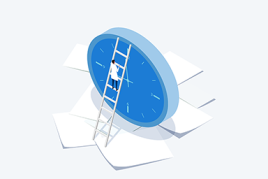
4. Time yourself on how long it takes to complete a note
- If you know your baseline, you can set reasonable expectations on how long it will take to document. You can also set goals for improving efficiency. Identifying problem areas can spur improvements to existing templates that reduce documentation burdens.

5. Consider getting a scribe or using voice recognition software
- These tools have proven successful in reducing physician frustration regarding electronic documentation. A variety of in-room scribes, e-scribes, and voice recognition tools are available to increase efficiency.
Additional AAD resources
Access Academy information on using EHR scribes to ease burdens of documentation and date entry.
Read this DermWorld article on best practices and helpful tips in optimizing your EHR.
Read a DW story on how CMS is surveying post-op visits through global surgical codes.
Use these tips to get the most out of your EHR and optimize office workflow.
